
How to Buy Data for Someone Else on MTN, Airtel, Glo, and 9mobile in Nigeria
Nigerians can gift mobile data to another person’s number using USSD codes, official network apps, or third-party reseller platforms — no visit to a service centre required. This guide covers every method that works in 2026, network by network.
How to Gift Data on MTN Nigeria
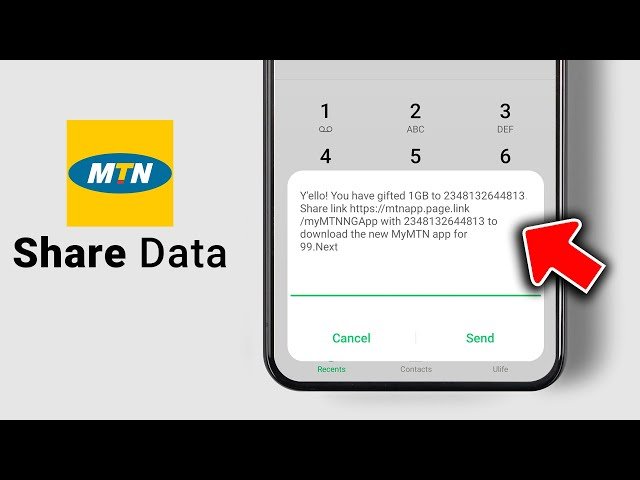
MTN gives you three ways to send data to another number.
USSD Method
Dial *131*recipient's number*plan code# from your MTN line. Each data plan has a specific code — call MTN customer care on 180 or check MTN’s data page for the current list. The data transfers immediately after you confirm.
MyMTN App
Open the app → tap Data → select Gift Data → enter the number → choose a plan → confirm. Payment deducts from your airtime balance or linked card. This is the fastest method if you already have the app installed.
MTN Website
Log in at mytunez.mtnonline.com, go to Buy Data, and switch to the gifting option. Useful when you prefer a browser or you’re on a laptop.
How to Gift Data on Airtel Nigeria
USSD Method
Dial *141*recipient's number*plan code#. Call Airtel on 121 if you need the current plan codes.
My Airtel App
Open the app → Buy Data → Gift → enter the recipient’s number → pick a plan → confirm. Airtel’s app is reliable and consistently updated.
Airtel Website
Visit airtel.com.ng, log in, navigate to data purchase, and select the For Someone Else option.
How to Send Data to Another Number on Glo
USSD Method
Dial *777# → select Buy Data → choose Gift Data → enter the recipient’s number → select a plan → confirm. Glo’s USSD session can time out quickly — if it drops, redial and start again.
Glo Café App
Open the app → Data → Gift Data → enter the number → select a plan → pay. The app also lets you set up recurring data gifts, which is useful if you top up the same number regularly.
How to Send Data to Another Number on 9mobile
USSD Method
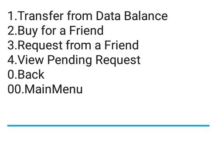
Dial *200# → select Data → choose the option to send to another number → enter recipient’s number → confirm. The gifting option is a couple of steps deeper in the menu compared to the other networks.
9mobile App
Log in → Buy Data → For Someone Else → enter the number → select a plan → pay. The 9mobile app has improved over the past year and this flow now works consistently.
Third-Party Platforms: Often Cheaper Than Buying Direct
If you gift data regularly — to family, staff, or clients — third-party data reseller platforms are worth using. They typically sell data at lower rates than the networks themselves.
Popular platforms in Nigeria include VTpass, SMEPlug, DataStation, and Gsubz. The process is the same across all of them:
- Create an account
- Fund your wallet (bank transfer, card, or USSD)
- Select the recipient’s network
- Enter their number
- Choose a plan and pay
Delivery is usually instant. These platforms work across all four major networks and support multiple recipients in one session.
Key Rules That Apply to All Networks
- Same-network only. You cannot send MTN data to an Airtel number. The recipient must be on the same network as you.
- Sufficient balance required. Transactions fail if your airtime or wallet balance is short. There are no partial transfers.
- Delivery is usually instant. If the recipient doesn’t receive data within 30 minutes, contact customer care.
Quick Reference: Fastest Method Per Network
| Network | USSD Code | Fastest App Method |
|---|---|---|
| MTN | *131*number*code# | MyMTN App → Gift Data |
| Airtel | *141*number*code# | My Airtel App → Gift Data |
| Glo | *777# → Gift Data | Glo Café App → Gift Data |
| 9mobile | *200# → Send Data | 9mobile App → For Someone Else |