
If you’ve ever been in a situation where someone around you is out of data and you’ve got plenty to spare, 9mobile has a feature for that. You can share your data balance with another 9mobile number — no need to recharge their line or visit a store.
This guide covers every method that works right now: USSD codes, the My9mobile app, and data gifting. Pick the one that suits you.

What Is 9mobile Data Sharing?
9mobile data sharing lets you transfer part of your active data bundle to another 9mobile subscriber. It works only between 9mobile numbers — you cannot share data to an MTN, Airtel, or Glo line.
A few things worth knowing before you start:
- The recipient must be on the 9mobile network
- Shared data expires based on the original bundle’s validity, not when it was shared
- You cannot share data if your balance is too low (most plans require you to keep a minimum)
- Gifted data is different — it uses your airtime credit, not your existing data bundle
Method 1: Share Data Using USSD Code (Fastest Way)
This works without internet. Just dial from your phone’s call screen.
Step 1: Dial *229*PIN*Amount*Recipient Number#
Example: If your PIN is 0000 and you want to share 200MB with 0802XXXXXXX, dial: *229*0000*200*08020000000#
Step 2: Press Call/Send
Step 3: You’ll receive a confirmation SMS when the transfer is successful.
Default PIN: 0000 (you should change this — see below)
To check your shareable data balance, dial: *228#
To change your data sharing PIN, dial: *229*0*OldPIN*NewPIN*NewPIN#
Method 2: Share Data via the My9mobile App
If you prefer a visual interface over USSD codes, the app is cleaner to use.
Step 1: Download the My9mobile app from Google Play Store or Apple App Store.
Step 2: Log in with your 9mobile number and OTP.
Step 3: Go to “Data” on the home screen.
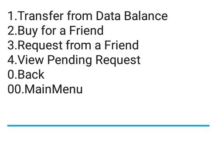
Step 4: Select “Share Data” or “Data Transfer.”
Step 5: Enter the recipient’s 9mobile number and the data amount you want to send.
Step 6: Confirm with your PIN and tap “Send.”
You’ll get an in-app notification and SMS confirmation once it’s done.
Method 3: Gift Data to Another 9mobile Number (Uses Airtime Credit)
Data Gifting is different from data sharing. Instead of transferring from your existing data bundle, 9mobile charges your airtime balance to buy data for someone else.
How to gift data:
Dial: *200*3*Recipient Number*Data Plan Code#
For example, to gift a 1GB plan (plan code may vary) to 0802XXXXXXX: *200*3*08020000000*1#
You can also do this through the My9mobile app under “Buy Data” > “Gift Data.”
Note: Check current 9mobile data plan codes by dialing *229# or visiting 9mobile.com.ng — plan codes change when promotions update.
9mobile Data Sharing Codes — Quick Reference
| Action | Code to Dial |
|---|---|
| Share data to another number | *229*PIN*Amount*Number# |
| Check your data balance | *228# |
| Change your data sharing PIN | *229*0*OldPIN*NewPIN*NewPIN# |
| Buy/Gift data for someone | *200*3*Number*PlanCode# |
| Check data plan options | *229# |
Common Problems and Fixes
“Transaction Failed” error This usually means your PIN is wrong or your data balance is too low. Try resetting your PIN with *229*0*0000*NewPIN*NewPIN#.
Recipient says they didn’t get the data Give it 2–3 minutes — sometimes there’s a delay. If it still doesn’t reflect, check your balance to see if the deduction happened. If it did and they still haven’t received it, call 9mobile customer care on 200.
“Service not available” message Your line may not be active for data sharing. Call 200 or visit a 9mobile service centre to activate the feature on your account.
Shared data expired too quickly Shared data takes on the expiry date of your original bundle, not the transfer date. If your bundle was about to expire, the recipient won’t get much time to use it.
Can You Share Data on 9mobile to Other Networks?
No. 9mobile data sharing only works between 9mobile subscribers. If you need to top up someone on another network, you’d need to buy them a data plan directly through third-party apps like VTpass, EasyBuy, or similar recharge platforms.
Final Thoughts
Sharing data on 9mobile is straightforward once you know the right codes. The USSD method works even without internet access, which makes it reliable when you need it most. If you use the My9mobile app regularly, the in-app transfer option is arguably cleaner — especially if you’ve already changed your default PIN from 0000 (which you should do immediately, for security).
For any issues the codes above don’t fix, 9mobile’s customer support line is 200 (free from a 9mobile number).